基于hexo&butterfly如何给个人博客的文章添加评论区
前言
Giscus: 评论托管在 GitHub 上,用户评论必须使用 GitHub 账户登陆,操作比较简单。
更多的评论系统可以查看 Butterfly 设置文档
Giscus的中文介绍
1、仓库设置
- 博客所在仓库必须是公开的 (public),否则访客将无法查看 discussion
- 你的 GitHub 已安装 giscus app ,否则访客将无法评论和回应
- 在你的仓库中启用 Discussions 功能
创建仓库
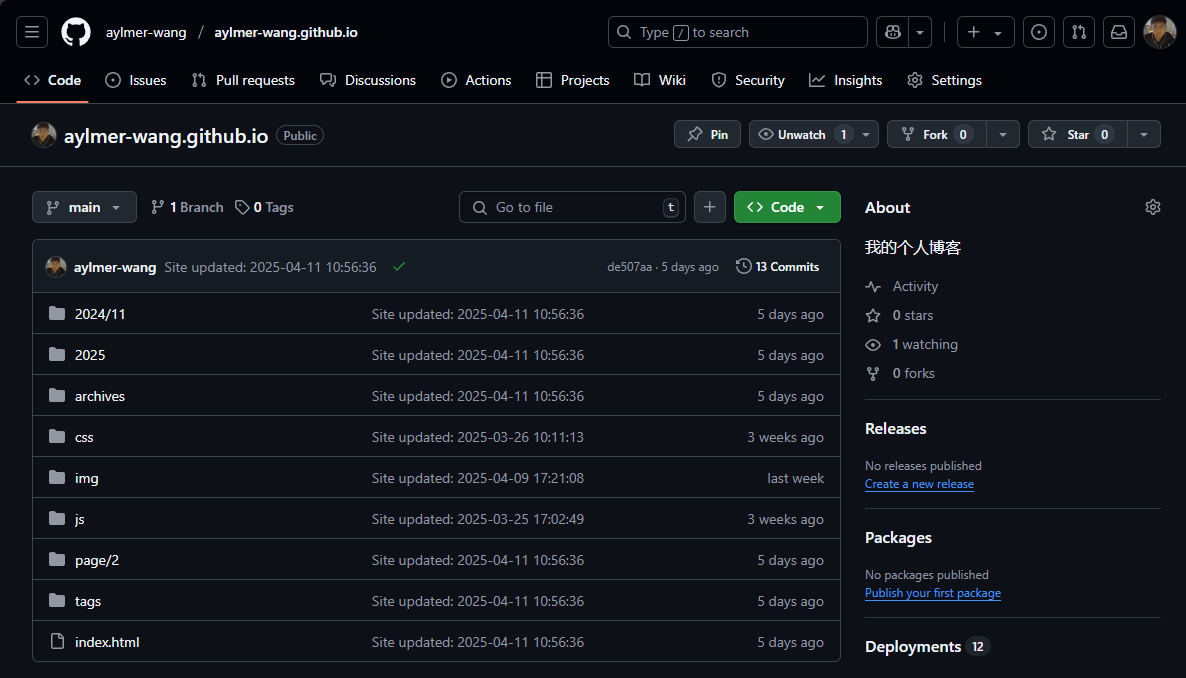
创建好一个博客仓库“your-repo”,其具体步骤可详见hexo文档或者[GitHub Pages + Hexo搭建个人博客网站,史上最全教程](GitHub Pages + Hexo搭建个人博客网站,史上最全教程_github pages hexo-CSDN博客)
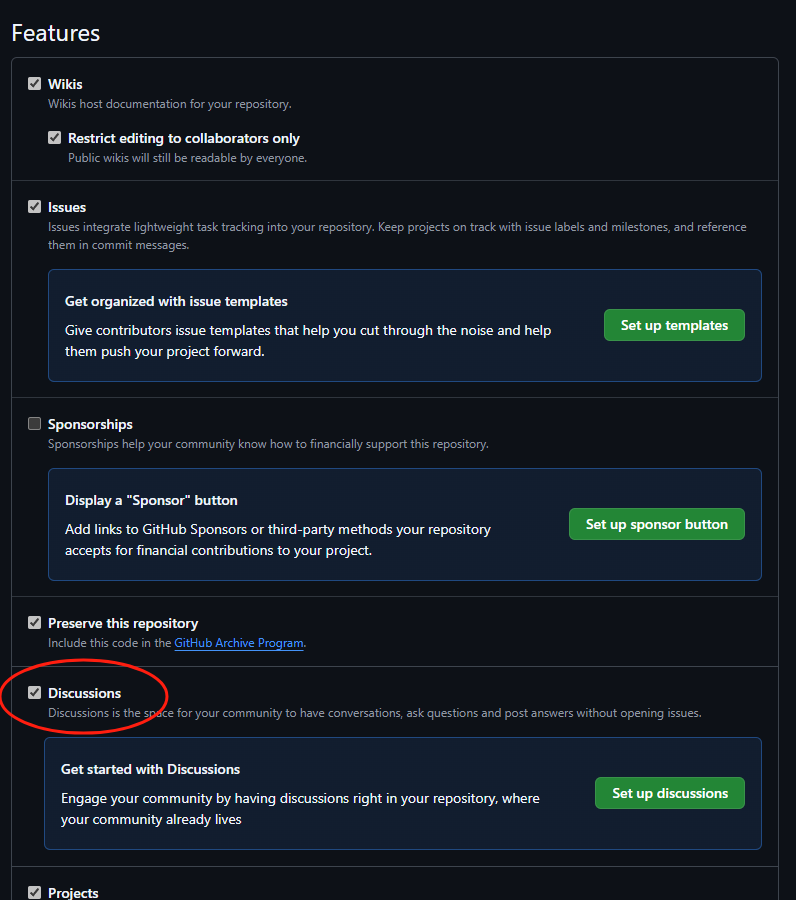
开启Discussions
在仓库的页面,点击顶部的 Settings

找到General - Features,并将Discussions打勾✔,下面的setup不需要关心
为你的github安装Giscus App
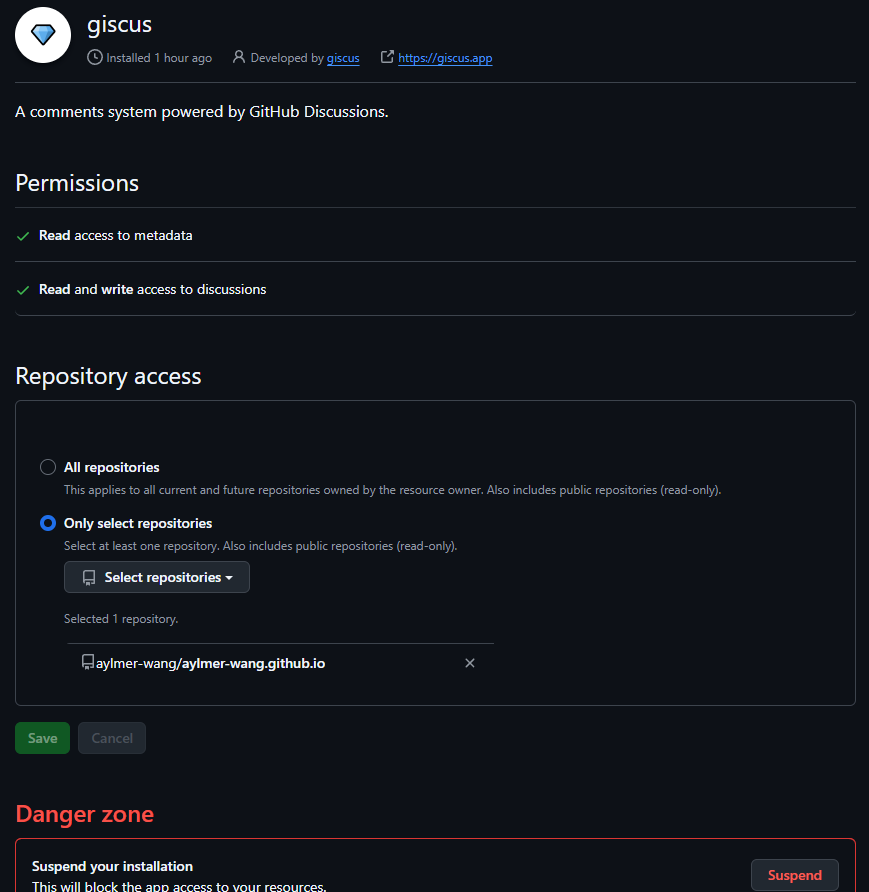
- 访问 https://github.com/apps/giscus 点击
Install,进入选择仓库界面。 - 选择
Only select repositories,然后选择你所创建的仓库your-repo,点击Install。显示如下页面表示创建成功
2、获取Giscus相关配置
这部分我的理解类似于,我们将自己的github安装了Giscus App 但是还没有将自己的仓库关联到 Giscus的服务器上。
所以需要访问Giscus的配置页面 (https://giscus.app/zh-CN),依次完成如下配置后,即可进行下一步。
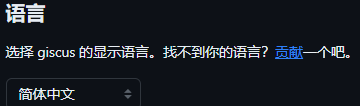
选择语言
关联仓库
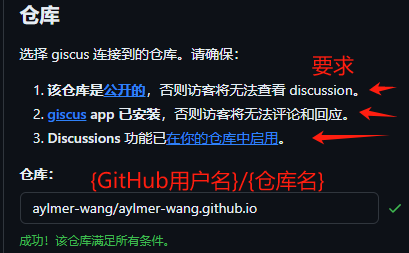
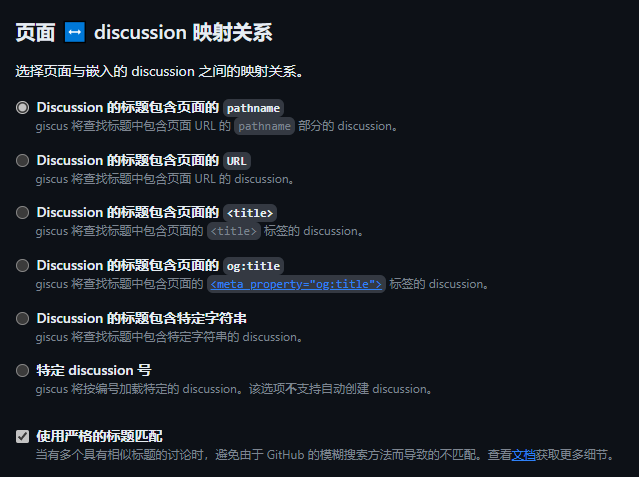
文章页面与discussion的映射关系:保持默认
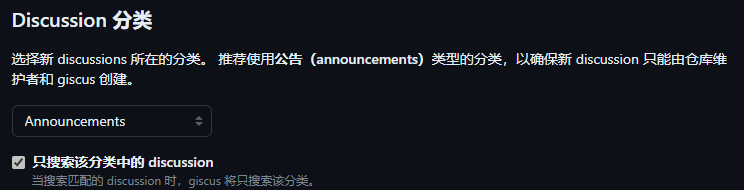
Discussion 分类: 按照推荐选择 Announcements
特性: 保持默认
主题: 保持默认,或是选择一个自己喜欢的
在 启用 giscus 部分,我们将看到 Giscus 的配置
1 | <script src="https://giscus.app/client.js" |
3、填写本地仓库的相关配置
编辑 Hexo 目录下的 _config.butterfly.yml 文件(我的目录是这个blog/themes/butterfly/source/_config.yml),找到 comments 部分:设置为giscus
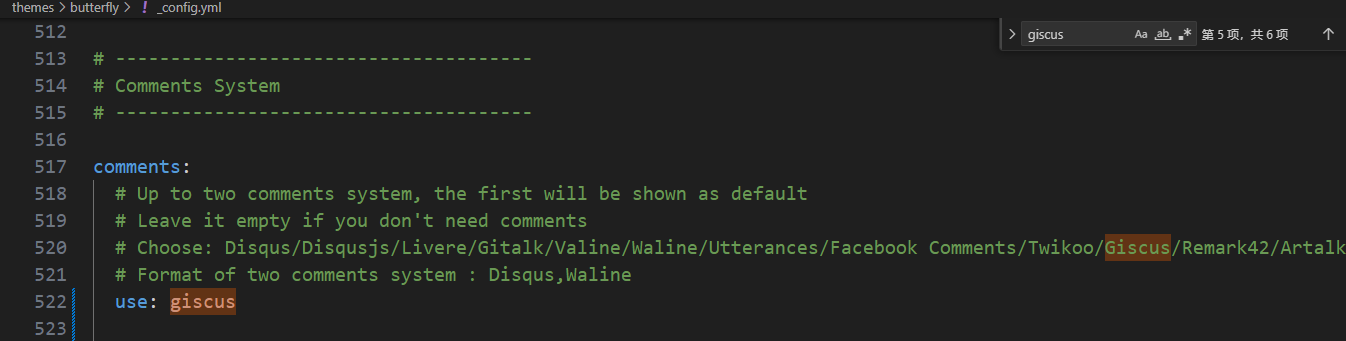
再找到giscus部分:根据上文获取的Giscus配置填写repo, repo_id, category_id
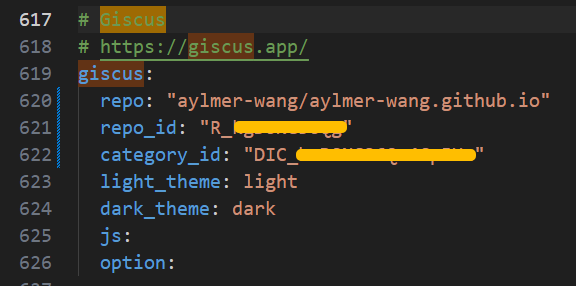
1 | comments: |
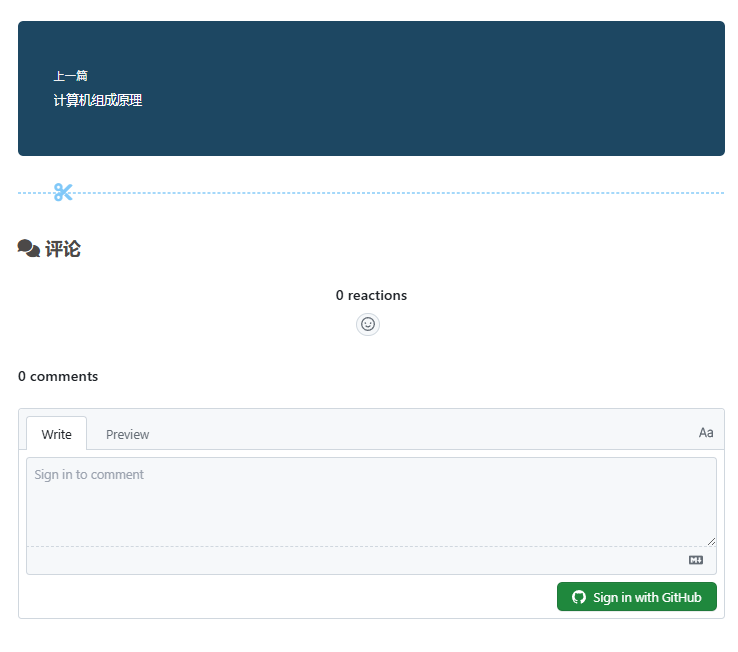
即可运行命令在网站查看评论预览
1 | hexo clean |
本博客所有文章除特别声明外,均采用 CC BY-NC-SA 4.0 许可协议。转载请注明来源 Aylmer's Blog!
评论